What to do first
Delivery day is not the time for a full detailing inspection or a long accessory install. Your goal is simpler: confirm the car is legally yours, safe to drive, able to charge, connected to your phone, and free of obvious delivery damage before you leave the lot.
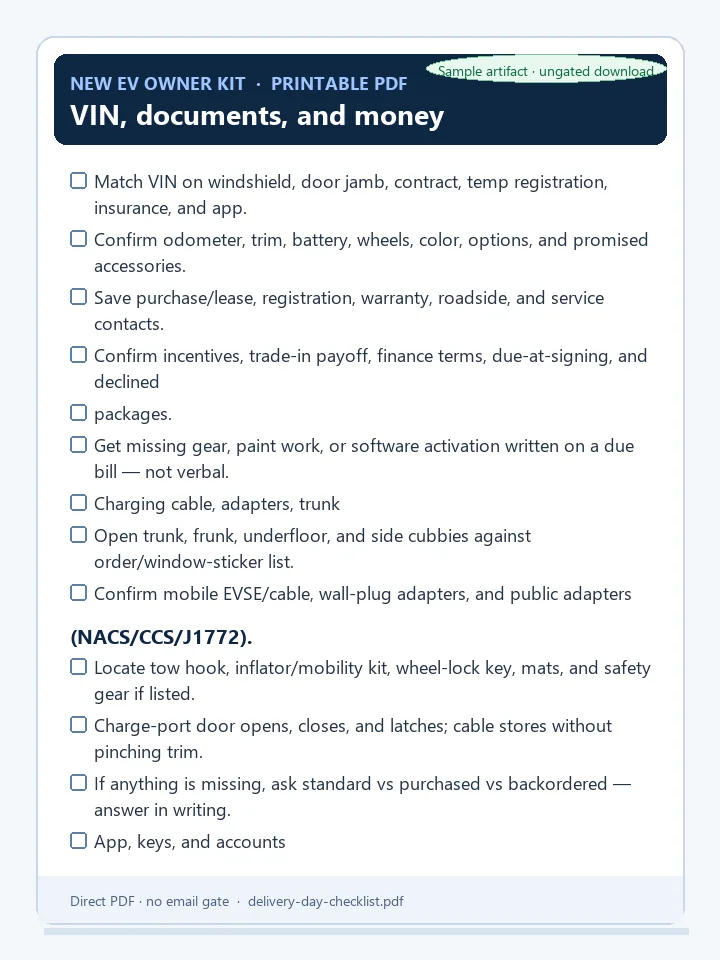
Download the printable one-page PDF to bring to the dealer or delivery center (checkbox layout for VIN, gear, app, walkaround, tires, warnings, and the leave-lot must-dos).
If the appointment is rushed, prioritize these five checks before anything else:
- Match the VIN on the vehicle, paperwork, insurance, and app.
- Confirm key access and app pairing while staff can still help.
- Verify the included charging cable, adapters, and emergency equipment listed for your vehicle.
- Check tire pressures cold or as close to cold as practical.
- Start the car, review warning lights, and ask for a service record or appointment for anything unresolved.
Before you sign or drive away
VIN, documents, and money
- Match the VIN on the windshield plate, door jamb label, purchase or lease contract, temporary registration, insurance card, and app account.
- Confirm odometer reading, trim, battery, wheel size, color, options, and any promised accessories.
- Save copies of the purchase or lease agreement, registration paperwork, warranty information, roadside assistance number, and dealer/service contact.
- Confirm incentives, trade-in payoff, finance terms, due-at-signing amount, and any accessories or protection packages you declined.
- Make sure the title, registration, or temporary permit process is clear before leaving.
Do not rely on a verbal promise for missing equipment, software activation, paint repair, or later reimbursement. Ask staff to write it on the due bill, we-owe form, service ticket, or delivery note.
Charging cable, adapters, and trunk equipment
Included charging gear varies by brand, model year, country, and order configuration, so check what your window sticker, order agreement, or automaker account says should be present.
Open the trunk, frunk, underfloor storage, and side cubbies. Confirm:
- Mobile charging cable or portable EVSE if included with your vehicle.
- Wall plug ends or adapters that were promised with the mobile connector.
- Public-charging adapter if included or purchased, such as NACS, CCS, J1772, or regional equivalents.
- Tow hook, tire mobility kit, inflator, sealant, wheel-lock key, cargo cover, floor mats, first-aid kit, or safety triangle if listed for your market.
- Charge-port door opens, closes, and latches normally.
- Charging cable stores cleanly without pinching the cable or damaging trim.
If a cable or adapter is missing, ask whether it is standard equipment, separately purchased equipment, or backordered equipment. Get the answer in writing before accepting delivery.
App, keys, and accounts
Pair the vehicle app at delivery
Automaker delivery guidance commonly points owners to complete account tasks before or during delivery because many EV functions live in the app. Do this while you still have staff support and a strong data connection.
- Install the vehicle app and sign in with the account used for the order or ownership transfer.
- Confirm the car appears in the app with the correct VIN.
- Pair phone key, digital key, key card, fob, or PIN as applicable.
- Test lock, unlock, climate start, charge status, and location visibility.
- Add a second driver only after your own access is stable.
- Confirm roadside assistance and service scheduling are visible in the app.
Keep a physical key card, fob, or backup access method with you until you trust phone key behavior across several days.
Set up payment and charging accounts
Do not wait until your first low-battery road trip to create accounts.
- Add a payment method to the vehicle account if the automaker uses it for charging, subscriptions, or service.
- Install one public-charging discovery app and one primary network app for your area.
- Add at least one payment method in the charging network app.
- If your vehicle includes free charging, credits, Plug & Charge, or roaming access, confirm activation rules before the first public stop.
- Keep a physical credit card available because some stations support contactless payment or require a fallback.
Exterior and interior pickup checks
You are not trying to find every microscopic imperfection. You are looking for issues that should be documented before the car leaves the delivery location.
Exterior basics
Walk around the vehicle in daylight or bright lighting.
- Check paint for deep scratches, dents, transport damage, mismatched panels, cracked trim, and obvious overspray.
- Inspect glass, mirrors, cameras, sensors, lights, and charge-port area.
- Confirm doors, hatch, frunk, and charge-port door open and close without rubbing.
- Look at wheel faces and tire sidewalls for curb rash, gouges, shipping damage, or missing valve caps.
- Confirm license plate bracket, temporary plate, and inspection stickers are correct for your location.
Take photos before leaving if you find damage. Ask for a written service appointment, not just a promise that someone will call.
Interior basics
- Check seats, steering wheel, dashboard, headliner, carpets, mats, cargo area, and screens for cuts, stains, loose trim, or broken clips.
- Confirm seat adjustment, mirrors, windows, locks, wipers, defrosters, horn, lights, turn signals, and backup camera work.
- Test charge-port release from the cabin or screen if your vehicle has one.
- Confirm the infotainment screen boots without repeated crashes.
- Verify child locks, emergency door release locations, and manual charge-cable release location from the owner’s manual.
Tires, warnings, and service triggers
Tire pressure
Check tire pressure when tires are cold if possible; if you drove to the delivery location or the car was moved recently, treat the reading as a quick safety check and recheck at home the next morning. Use the pressure listed on the driver’s door jamb label, not the tire sidewall maximum.
EVs are heavy, quiet, and torque-rich, so underinflation can affect range, handling, tire wear, and heat buildup. If a tire is far below the placard value, ask the delivery team to inspect for a leak before you leave.
Warning lights and messages
Start the car, buckle in, and wait for startup checks to clear. Then review the instrument cluster, center screen, and app for active alerts.
Do not leave without written documentation if you see:
- Red brake, steering, battery, high-voltage, airbag, or restraint warnings.
- A warning that says to stop safely, pull over, service immediately, or not drive.
- A tire-pressure warning that does not match a simple inflation correction.
- Repeated infotainment, camera, sensor, charge-port, or driver-assistance faults.
- Any alert the staff cannot explain from the owner’s manual or service system.
Yellow or informational alerts may be safe to resolve later, but only after staff documents the issue and explains whether the car is safe to drive.
First charge before you depend on the car
If the delivery location has a charger available, ask for a short demonstration or do a quick test yourself.
- Open and close the charge port.
- Plug in and confirm the car recognizes the connector.
- Start and stop charging from the vehicle screen or app.
- Confirm charge limit, estimated completion time, and current state of charge.
- Learn where to find charging status, charging speed, and fault messages.
If you cannot test at delivery, make your first stop a low-stress charger or home outlet test with plenty of range remaining.
Safety basics to learn before leaving
- Read the quick-start safety pages for charging, towing, jump-starting or low-voltage battery access, and high-voltage warnings.
- Do not touch orange high-voltage cables or damaged high-voltage components.
- In a crash, flood, burning smell, smoke, or high-voltage warning, move to a safe place, exit the vehicle, and contact emergency services or roadside assistance.
- Use only properly rated charging equipment and avoid damaged outlets, extension cords, loose plugs, or hot connectors.
- Know how to shift into park, power the vehicle off, open doors manually, and release a stuck charging connector.
Printable delivery checklist
Use the downloadable PDF checklist if you want a single Letter-size sheet with checkboxes. The same must-finish and 48-hour lists are below for screen use.
Must finish before leaving
- VIN matches car, documents, insurance, and app.
- Purchase, lease, registration, warranty, and roadside documents saved.
- Included charging cable, adapters, and promised accessories confirmed.
- Vehicle app paired; key card, fob, or phone key tested.
- Charging account/payment setup started.
- Tire pressures checked against the door-jamb placard.
- No unresolved red or stop-drive warnings.
- Paint, glass, wheels, interior, and cargo areas checked for obvious delivery damage.
- Written due bill or service appointment created for anything missing or damaged.
Finish within 48 hours
- Recheck tire pressure cold at home.
- Complete public-charging app setup and add payment methods.
- Try one home charging session or low-stress public charging session.
- Save service, roadside assistance, insurance, registration, and charging support numbers.
- Read the owner’s manual sections for charging, towing, warning lights, emergency exits, and high-voltage safety.
Sources consulted
- Automaker delivery and ownership support pages, including Tesla delivery-day/taking-delivery guidance and Rivian delivery-day support guidance.
- Automaker charging education pages from Hyundai and Kia for charging-account and connector setup context.
- U.S. Department of Energy Alternative Fuels Data Center guidance on home EV charging and public charging equipment.
- FuelEconomy.gov vehicle maintenance guidance on tire pressure and efficient operation.
- NHTSA tire safety guidance on using the vehicle placard pressure and checking tires regularly.
- NFPA electric-vehicle emergency response education on EV-specific hazards and safe emergency awareness.
Related guides
After pickup, move into First 30 Days With Your EV, change the EV settings to change first, review charging basics, set up the charger apps directory, and read common error codes explained plus high-voltage awareness before your first longer drive.